Grow A Garden Trading
Browse Grow A Garden pet and item offers. Read both sides of each listing to find an exchange that fits your collection.




No games found.
Items
Players
No matching suggestions.
Post a Trade
Select Item
Name Your Custom Item
Notification


co dino 100kg can qua raccon co rong rainbow 115kg ai co ib


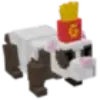

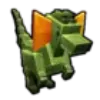

 x100
x100 




What are you looking for in Grow A Garden?
Looking to exchange a pet in Grow A Garden? Start with its name, then check what the other player wants. If a listing includes several items, ask whether they form one offer or can be exchanged separately. A clear description of your own pet is more useful than simply asking “trade?”
How Trading Works
- Find what you want to receive. Read both sides of the listing to see what the other player offers and wants in return.
- Message to agree on the offer. Be clear about names, quantities and any stats that matter, and ask whether the exchange is still available.
- Check once more in the game. Verify the account and every item on both sides before confirming the exchange.
Trading Safety
- An item exchange does not require sharing your password or one-time codes. Keep login cookies and recovery codes private too.
- Got a sign-in link in chat? Don’t rush to open it. Go to the game or site you normally use instead of signing in through a stranger’s link.
- If the other player wants your item first to “verify” it, or swaps an item at the last moment, stop and review the whole offer.
FAQ
Do I have to exchange the whole bundle of pets?
Not necessarily. Ask whether the author wants to exchange the bundle or individual pets, then agree on the item list before entering the game.
I found the right item. What else should I read?
Read what the author wants, the quantities on each side and any notes. Those details tell you whether the offer fits what you have in mind.
If the listing is still there, is the exchange still available?
Ask first. The author may have completed an exchange or changed what they want without updating the listing yet.
Does the exchange happen on the website after chatting?
Use chat to agree on the offer, then exchange in the game. Listings and messages do not replace checking the items at the final confirmation step.